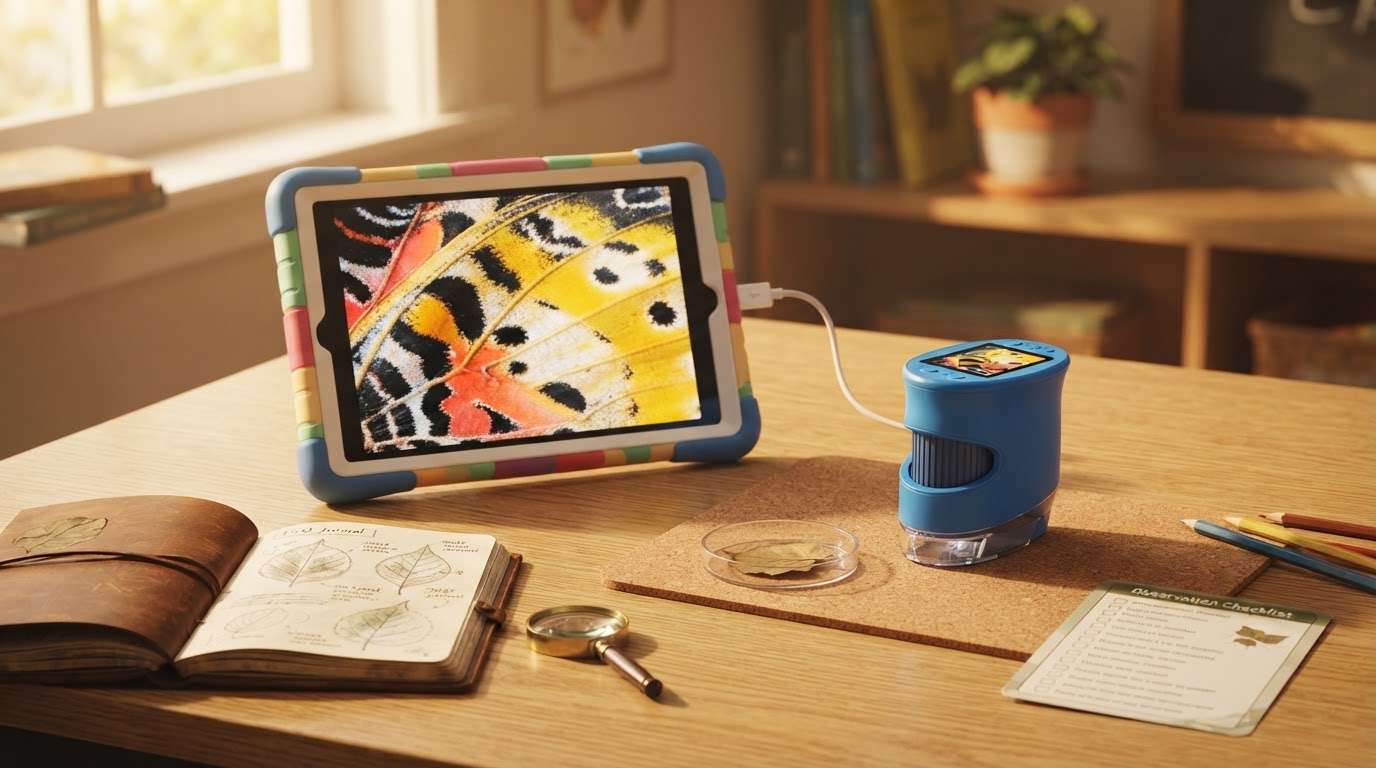
Pairing Little Lab With Classroom Tablets
 Sam VasquezBuying Guide Lead
November 8, 2026. This guide explores the technical requirements and practical benefits of connecting a wireless microscope to a child's tablet. It is written for parents and educators looking to expand the utility of existing mobile hardware for scientific observation.
The Connectivity Gap in Mobile Learning
When we hand a tablet to a child, we are usually giving them a consumption device. Integrating a wireless microscope turns that screen into a window for active discovery, yet the transition isn't always seamless. Most entry-level microscopes rely on wired connections that tablets simply don't support without a mess of adapters. According to Home Science Tools, choosing the right microscope for kids involves balancing high-quality optics with portability and ease of use, particularly for beginner and advanced students who need to move between the desk and the field. The frustration for most users begins with software; if the app is clunky or the Wi-Fi signal drops, the scientific moment is lost. I have seen many parents buy a digital magnifying glass for kids only to realize they wanted the higher resolution and recording capabilities of a dedicated wireless unit. The market is saturated with options, but many fail to maintain a stable point-to-point connection. If you are looking for a wireless microscope for iPhone and Android, the requirements are similar to tablets, but the larger screen real estate of an iPad or Galaxy Tab makes the stability of the stream even more critical. You want a device that doesn't just magnify, but translates that data into a clear, lag-free image that multiple students can view simultaneously. Skip this if you only intend to use the device at a fixed computer station, as a usb microscope for classroom use often provides a more reliable wired data rate for desktop monitors. However, for those who value the mobility of a tablet, the wireless protocol is the most important hardware spec to verify.
How Little Lab Solves the Tablet Integration Problem
Little Lab addresses the common pitfalls of mobile microscopy by prioritizing a dedicated Wi-Fi broadcast that connects directly to the tablet, bypassing the need for a home or school network. This is a significant advantage in environments where network security protocols might block third-party hardware. Between these two common setups—Bluetooth vs. Wi-Fi—I’d go with Wi-Fi every time for microscopy because the bandwidth allows for a much higher frame rate and resolution. Little Lab utilizes this higher bandwidth to ensure that when a child moves a slide or an insect, the image on the tablet moves in real-time without the distracting two-second delay found in cheaper alternatives. The hardware is designed to be ergonomic for smaller hands, ensuring that the focus wheel is accessible while the device is being held against a surface. While AmScope offers a range of Student and Kids Handheld Microscopes that provide excellent portability, Little Lab focuses specifically on the digital interface, ensuring the app environment is safe and intuitive for children. If you're on a budget, you might be tempted by generic sensors, but the integration between the Little Lab hardware and the viewing software prevents the frequent crashes that plague off-brand models. The device acts as its own hotspot, meaning you can take the tablet and the Little Lab microscope into the backyard or a park without losing the ability to record footage. It effectively bridges the gap between a toy and a laboratory tool, providing enough optical clarity to see cellular structures while remaining durable enough to survive a drop from a classroom desk.
Choosing the Right Wireless Setup for Your Child
Selecting a microscope for tablet use requires looking past the magnification numbers, which are often inflated in marketing materials. Here’s what I’d actually buy and what I look for when testing these units. First, check the battery life; a wireless unit is useless if it dies twenty minutes into a nature walk. Second, verify the charging port type—USB-C is now the standard and ensures you won't be hunting for a proprietary cable. Third, consider the stand stability. While handheld use is great for looking at tree bark, you need a steady base for looking at prepared slides. If you are setting up a dedicated space, you might also look into a usb microscope for classroom use as a secondary tethered option. For the tablet specifically, ensure the app is compatible with your current OS version.
- Connection Stability: Look for a dedicated Wi-Fi signal rather than Bluetooth to avoid lag.
- App Ecosystem: Ensure the software allows for easy photo and video saving directly to the tablet's camera roll.
- Build Material: Choose a matte or textured finish that provides grip for small hands.
- Multi-Device Support: Check if the microscope can stream to more than one tablet at a time for group projects.
- Focal Range: A wide focal range allows for both 3D objects and flat slides.
To start your child's journey into the microscopic world with a tool built for their favorite tech, Shop Little Lab here.